A desk that feels fine for twenty minutes can leave you stiff and irritable by four o'clock. Most home setups aren't uncomfortable because the equipment is cheap — they're uncomfortable because nothing has been adjusted since the day it came out of the box. The fixes are usually free, take an afternoon, and are easy to reverse if they don't suit you. Work through this in order, changing one thing at a time, and give each change a day or two before you judge it.
Adjust What You Already Own
Before buying anything, spend an hour with a tape measure and the furniture you have. Most people who think they need a new chair actually need a footrest, and most people who think they need a new desk actually need to lower their monitor. If you do end up shopping, you'll at least know which measurements matter: seat height, desk height, and the distance from your eyes to the screen.
Note down settings you like. A strip of masking tape on a desk leg or a photo on your phone saves you hunting for a height you got right three months ago.
Start With the Chair, Not the Desk
Everything else depends on where your hips end up, so set the chair first and let the desk follow.
Seat height. Raise or lower the seat until your feet rest flat on the floor and your thighs are roughly parallel to it, or sloping very slightly downwards towards your knees. If that leaves your desk too high, keep the chair where it is and add a footrest rather than sliding forward and perching.
Sit back into the seat. Your bottom should meet the back of the chair, not hover halfway across the seat pan.
Lumbar support. It should sit in the small of your back, not up between your shoulder blades. If your chair's support is fixed and lands in the wrong place, a rolled-up towel or a small cushion does the job.
Armrests. They should take the weight of your forearms without pushing your shoulders up. If they clash with the desk edge, lower them or remove them altogether.
Seat depth and recline. Leave a couple of fingers' width between the back of your knees and the front edge of the seat. Then recline the backrest slightly — somewhere between a right angle and a gentle lean back. Sitting bolt upright for eight hours is tiring; perching on the front edge is worse.
Monitors: Distance, Height and Angle
Distance. Sit back in the chair and extend one arm. Your knuckles should land roughly on the screen, which is usually somewhere around 50–70cm from your eyes. If you find yourself leaning in as the afternoon wears on, the text is probably too small — increase the font size rather than moving your whole body forward.
Height. The top of the screen should be at or just below eye level, so your gaze drops slightly when you look at the middle of it. If you wear varifocals or reading glasses, you may need the screen lower still, because you see best through the lower part of the lens.
Laptops. A laptop on its own is a compromise. Raise it so the screen sits at the right height, then use a separate keyboard and mouse. Books, a box or a proper stand all work.
Two screens. Put the one you use most straight ahead and angle the second towards you rather than placing them side by side and turning your head all day. Tilt each screen back a few degrees and give the glass a wipe now and then; a smeary screen makes you strain.
Keyboard, Mouse and Hands
Aim for elbows at roughly 90 degrees, forearms level or sloping gently down towards the keys. Shoulders should hang loose, not creep up towards your ears.
- Keep the keyboard flat, or with the back edge slightly lower than the front. Try it without the little feet extended.
- Type with wrists straight and floating, not bent upwards or pressed into the desk edge.
- Use a wrist rest for pauses between bursts of typing, not as a place to rest your wrists while you work.
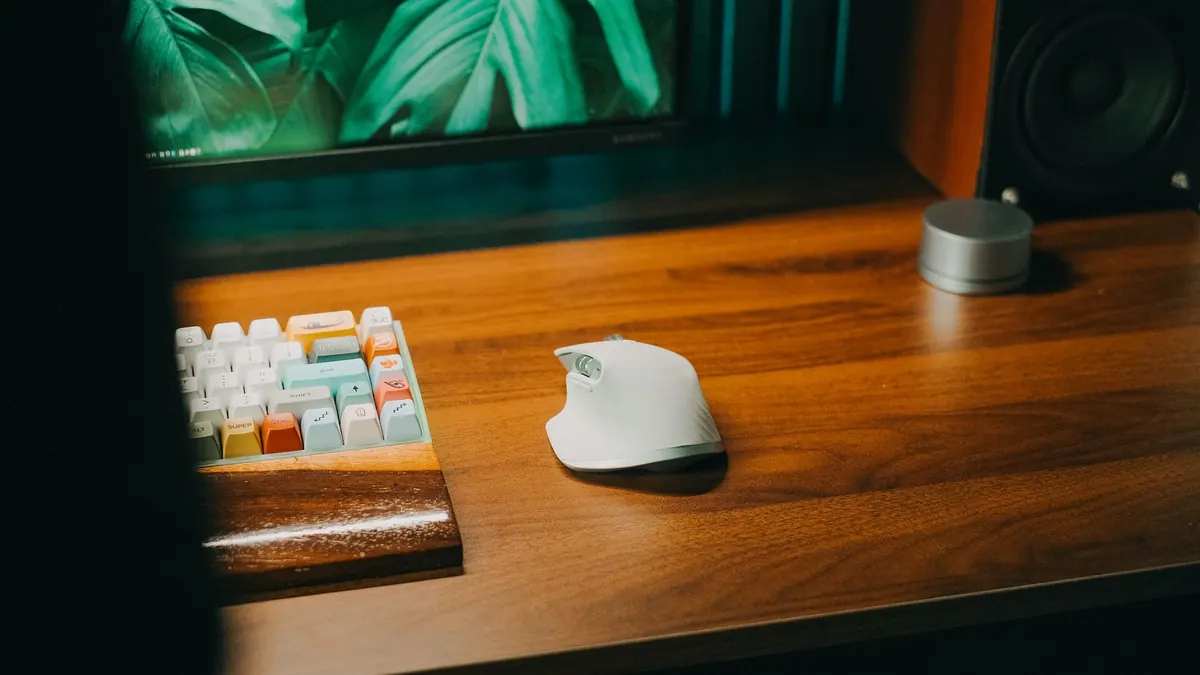
- Keep the mouse close to the keyboard and at the same height. Reaching to one side all day is a common cause of shoulder ache.
- Learn two or three keyboard shortcuts for the tasks you repeat most, and your mouse hand gets a rest.
Lighting and Glare
Lighting is the part of a home office that gets ignored, and it's often what causes the headaches and gritty eyes by mid-afternoon.
Avoid sitting with a window directly in front of you or directly behind you. Facing a bright window makes the screen look dim; having one behind you turns your monitor into a mirror. Side-on is the kindest arrangement, with a blind you can adjust as the sun moves round.
Overhead light is best coming from behind and above you rather than from directly overhead, where it bounces off the screen. Add a desk lamp for paperwork and place it so it lights the page without reflecting in your display. Match your screen brightness to the room: a blazing screen in a dim corner is hard work for your eyes.
Then take breaks. Every twenty minutes or so, look at something about six metres away for twenty seconds, and blink properly. Stand up and move every half hour or so, even if it's only to fill the kettle.
A Room-by-Room Walkthrough
Once the main settings are done, do a slow lap of the room and check the smaller things that quietly shape your day.
The chair and the floor
- Is there enough room to push the chair back and stand up without twisting?
- Is the footrest, if you use one, at a height that lets your thighs stay level?
- Is the floor clear of bags and leads, so you're not sitting at an angle to avoid them?
The desk surface
- Are the things you use most — phone, notepad, water — within easy reach without stretching?
- Are cables routed so they don't pull at your wrist or catch your foot?
- Is there a clear space to one side, so the desk doesn't feel cramped?
The window wall
- Can you adjust the blinds without standing up?
- Does the screen show a reflection at any point in the day? If so, shift the desk or the screen angle rather than putting up with it.
The rest of the room
- Is there somewhere to put paperwork, so it doesn't colonise the keyboard area?
- Is the room a sensible temperature? Cold hands type badly, and a warm, stuffy room makes anyone drowsy.
Give It a Week, Then Fine-Tune
No setup is perfect on the first attempt, and bodies differ. Live with your adjustments for a week, then reconsider the one thing that still nags: a twinge in the shoulder, a crick in the neck, tired eyes at three o'clock. Small tweaks made early are far easier than undoing months of habit.
If you're getting persistent numbness, tingling, or pain that doesn't ease when you move around, don't try to solve it with cushions and guesswork — speak to your GP or a physiotherapist. For most people, though, a well-adjusted chair, a raised screen, a keyboard within easy reach and a bit less glare are enough to turn a home desk from a daily grind into somewhere you can comfortably work.
Photo: Pew Nguyen / Pexels